DaFlight |
by dags_

|
||

|
descriptionA highly customisable flymod which includes 3 diffent flight modes, 2 adjustable speeds and fine-tunable settings like momentum and strafe-rate. Also includes sprint-mod, allowing you to run and jump around like a maniac, and FullBright, a gamma boost that lights up even the darkest of places. features
|
 Web Site  Minecraft Forum  Planet Minecraft |
|
supported minecraft versions1.9.4 1.9 1.8.9 1.8 1.7.10 1.7.2 1.6.4 |
|||
screenshotsNo screenshots available videos |
|||
related mods
Spawn Detectorby digitalshadowhawk |
|
|
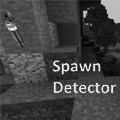
This is a liteloader mod for minecraft 1.9, 1.9.4 and 1.10.x based on a feature in Not Enough Items. It is designed to show a yellow "X" over blocks where the light level will allow mobs to spawn during the day (ie. above ground in the overworld) and a red "X" over blocks where mobs can spawn at any time.This is a liteloader mod for minecraft 1.9, 1.9.4 and 1.10.x based on a feature in Not Enough Items. It is designed to show a yellow "X" over blocks where the light level will allow mobs to spawn during the day (ie. above ground in the overworld) and a red "X" over blocks where mobs can spawn at any time.
|
ItemDashby Killjoy1221 |
|
|
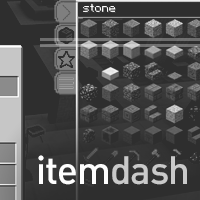
Quickly search for and get items in survival mode. Configurable for different server setups. Also allows option for survival pickblock. Quickly search for and get items in survival mode. Configurable for different server setups. Also allows option for survival pickblock.
|
Gammabrightby digitalshadowhawk |
|

|
Gammabright is an advanced brightness/fullbright mod for Minecraft. This mod allows the game's brightness slider to be overhauled, allowing for clear as day nights, fully lit caves, and crystal clear underwater views. Plus, Gammabright is simple to install, easy to use, and made for you! Check it out now -- you'll wonder how you lived without it!Gammabright is an advanced brightness/fullbright mod for Minecraft. This mod allows the game's brightness slider to be overhauled, allowing for clear as day nights, fully lit caves, and crystal clear underwater views. Plus, Gammabright is simple to install, easy to use, and made for you! Check it out now -- you'll wonder how you lived without it!
|
I got nothing






